
RIP software
RIP software is the control point between artwork and the printer, where files are queued, sized, nested and colour-managed for repeatable output. We supply and configure RIP software for eco-solvent, aqueous and UV printers used by sign shops, photo labs and print studios.
Where RIP software fits in a print room
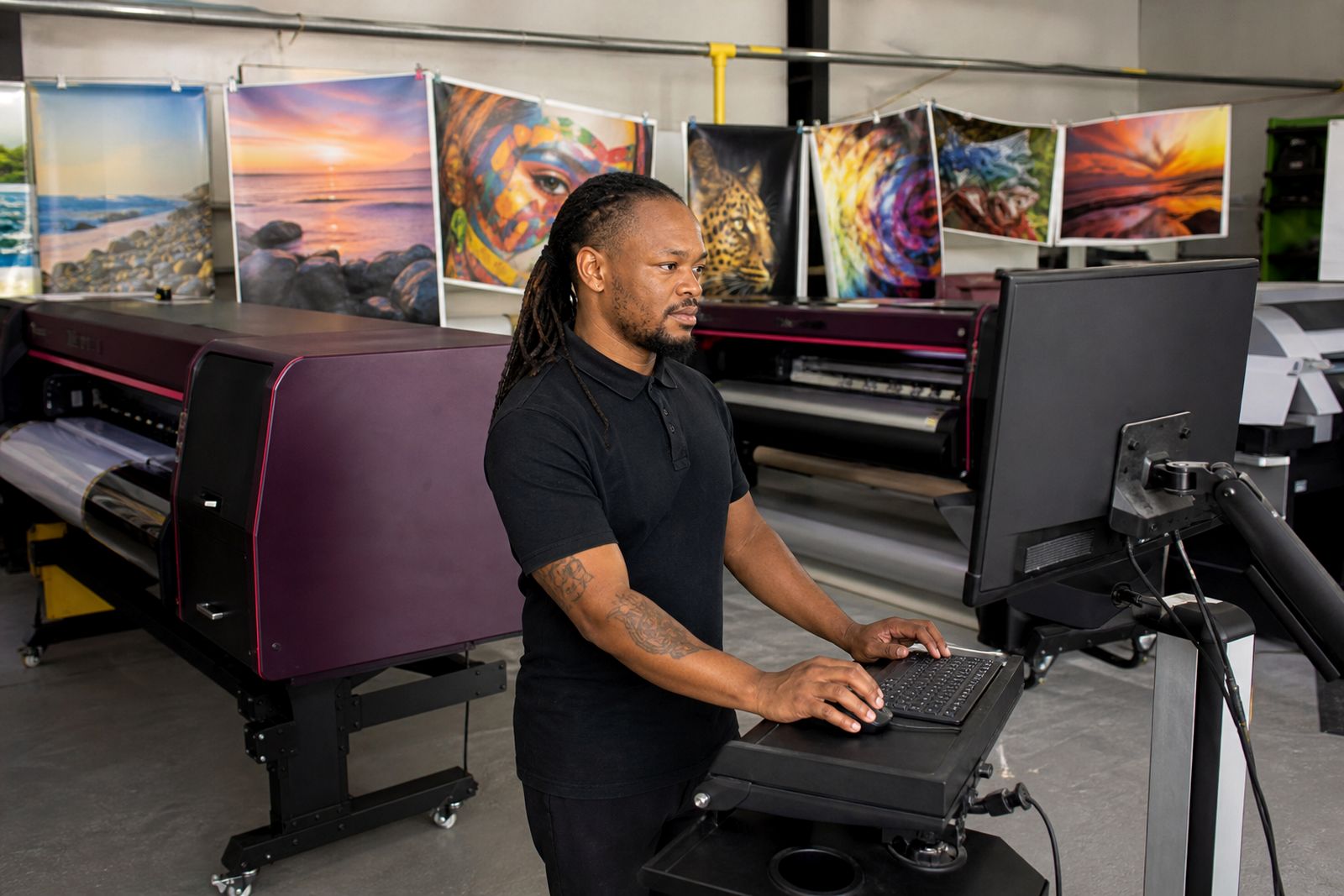
A RIP turns design files into printable data the machine can read. In day-to-day production it manages queues, applies media profiles, controls pass modes and ink limits, and helps the operator keep one job separate from the next when the floor is busy.
In a Centurion print room that may be running vinyl in the morning and poster stock after lunch, the value is consistency. The same file can print differently if the profile, resolution setting or heater setup changes without record. A properly configured RIP keeps those decisions in one place so the operator is not rebuilding settings every time.
- Queue management for repeat jobs and different media types
- Colour management with ICC profiles and ink limiting
- Nesting, tiling and panel layout to save media
- Cut marks and production marks where print-and-cut work is used
- Job history for reprints and operator reference
Editions, options and practical limits
RIP software is usually licensed by edition. A smaller studio may only need one printer queue with manual nesting, while a busier shop may need multiple hot folders, job presets, contour cutting support and separate queues for indoor and outdoor work. We match the licence to the actual workload and avoid loading cost into features you will not use.
There are limits you should plan around. Entry editions suit one or two devices and moderate daily throughput, but they can become cramped where several operators send jobs at once or where large panel sets must be nested across many rolls. Colour tools also vary between editions. Some packages handle standard profile loading well, while advanced builds add profiling tools, spot colour tables and tighter control over greys.
- Single-printer licences for one production device
- Multi-printer options where separate queues are needed
- Modules for nesting, step-and-repeat, tiling or cut workflows
- Colour packages ranging from profile use to full profiling tools
- Operator seat limits depending on the chosen licence
Not every RIP suits every floor. If your work is mostly occasional posters and small volume proofing, a heavy production package may be more software than you need. If you run long sign runs, repeat retail graphics or backlit jobs with strict colour matching, a basic starter licence can feel tight very quickly.
Printer types and work it suits best
We set up RIP software for eco-solvent, aqueous and UV wide-format printers. Each print process has its own habits. Eco-solvent shops usually need strong queue presets for vinyl, banner and film, along with sensible heater notes and drying allowances. Aqueous production often leans harder on colour accuracy for photo and poster work. UV work can need layer control, white ink handling and proper board or roll presets where the printer supports them.
This suits print rooms that need repeatability more than one-off experimentation. It is especially useful where two operators share one machine or one operator runs several devices through the day. It is less useful where jobs are tiny, infrequent and printed straight from design software without any need for media saving, profiling or job recall.
We supply software advice for wide-format print production. Plasma, router and laser equipment fall outside this scope, along with cutting tables and fabrication lines.
Computer, network and power requirements
The RIP station needs a stable computer with enough processor headroom, memory and storage for raster data, especially on high resolution photographic output or multi-panel jobs. Slow office PCs often become the bottleneck long before the printer does. A solid-state system drive and sensible scratch storage make a visible difference on large files.
Network layout matters as well. If the printer sits far from the RIP station, cabling and switch quality can affect job transfer and printer status reporting. In Gauteng, where load-shedding and power dips can interrupt a production day, the RIP computer and the printer network should be protected with suitable backup power and orderly shutdown practice. That avoids corrupted queues and half-written jobs.
- Current operating system supported by the chosen RIP edition
- Dedicated production PC, not a shared front-office machine
- Enough RAM for large raster files and multiple open jobs
- Reliable LAN connection between RIP station and printer
- UPS protection for the computer and network hardware
Colour control, maintenance and operator habits
Good RIP software cannot fix poor operator habits on its own, but it does give the shop a clean framework. Media presets should be named clearly, outdated queues should be removed, and profile changes should be recorded before a rush job is sent. That matters on the Highveld where dust, dry air and seasonal swings can shift how media feeds and how prints present once dry.
Routine care is mostly administrative. Keep the software updated to the approved build, back up queue presets and profiles, and avoid loading random profiles from unknown sources. When a new printhead, ink batch or media grade is introduced the colour may need checking, even if the machine prints normally. A short relinearisation or profile review can save a lot of wasted vinyl later. Some shops skip this and then wonder why a known red has drifted.
What to send when you ask about RIP software
The best starting point is a short production picture of your shop. Tell us which printer type you run, whether it is eco-solvent, aqueous or UV, what media you print most often, and whether you need one queue or several. If colour matching is sensitive, say whether you match to previous output, to proofs, or to store rollout colour references.
It also helps to know the computer spec, operating system, file types you receive and whether jobs arrive from one operator or a few workstations. If you need set-up, colour profiling or floor training, include that in the message so the software scope is matched properly from the start. You can send those details through our contact form.
- Printer type and how many devices need to be driven
- Main media used, such as vinyl, banner, paper, canvas or film
- Typical job sizes and whether tiling or nesting is common
- Need for contour cutting, white ink control or advanced colour tools
- Computer operating system and basic hardware specification
What our Wide-format Printing customers say
Verified Google reviews
Questions we get asked
Can one RIP drive more than one printer?
A chosen edition with multi-device support can drive more than one printer. That is useful where one shop runs separate queues for different media or different print processes.
Do I need new colour profiles when I change media?
A new profile is often needed, or at least a check against the existing preset. Even media that looks similar can need different ink limits and linearisation to print cleanly.
Is RIP software necessary for every small print room?
Small print rooms with occasional, uncomplicated output may manage with a light setup, but regular production work benefits from proper queues, repeat settings and colour control.
Also worth a look
Tell us about the job
Send sizes, materials and where you are through our contact form, and we will come back with the practical options.
Open the contact form