

Spares
Wide-format printers wear through small service parts long before the frame or carriage is finished. We keep common spares on the shelf for eco-solvent, aqueous and UV machines used in sign shops, photo labs and print studios.
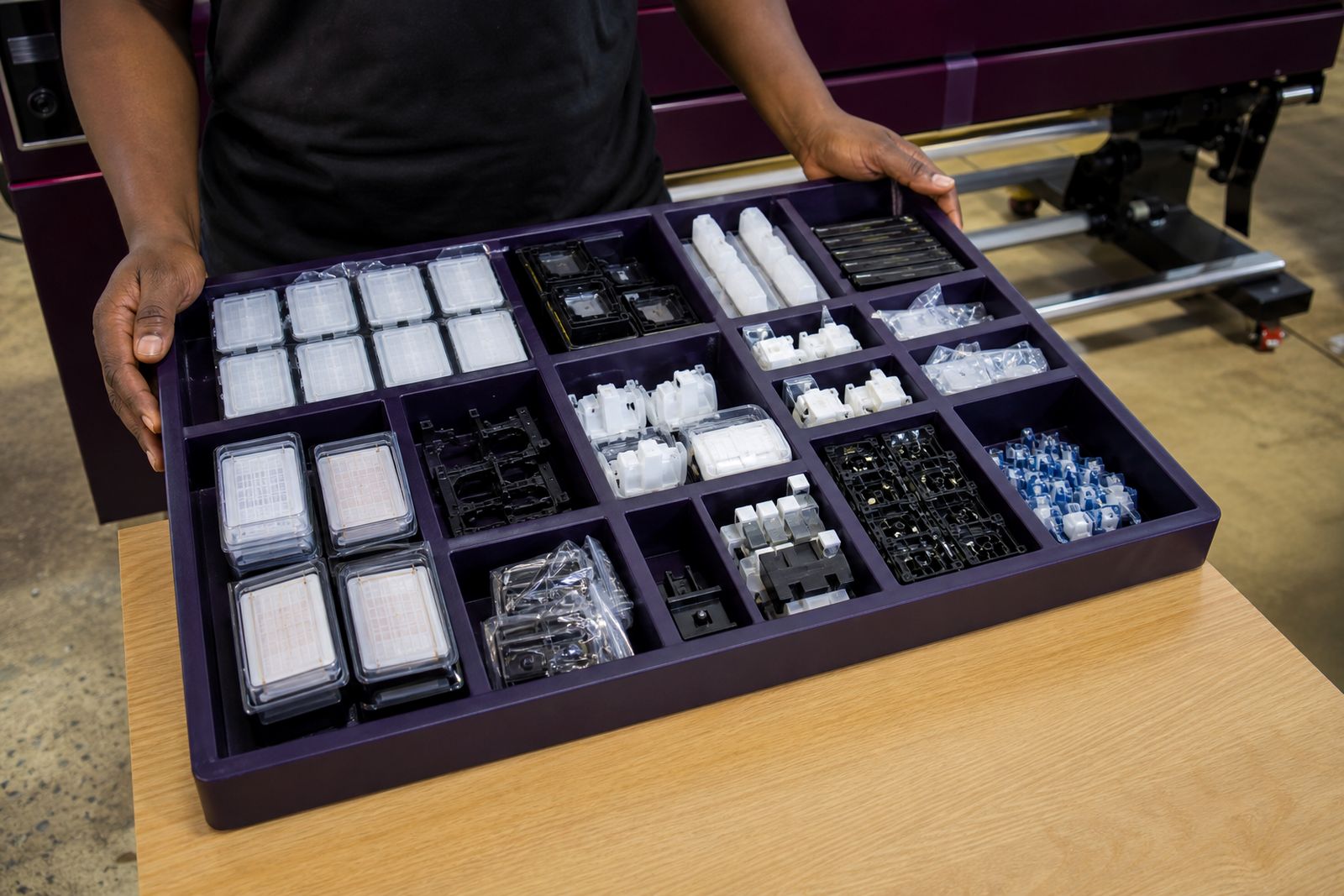
The parts that keep a printer stable
Most stoppages in a print room start with a small part that has gone hard, dirty or electrically unstable. A weak damper can starve one channel, a worn capping unit can leave the head open to air, and a scratched encoder strip can throw carriage position out by a few millimetres. These parts decide whether a machine cleans properly and holds a shift without intervention.
Our spare stock covers the service items asked for most often on wide-format printers running eco-solvent, aqueous and UV ink sets. We also carry selected boards and carriage electronics for faults that do not clear after cleaning, reseating cables or replacing normal wear items.
- Dampers for solvent, water-based and UV ink paths
- Capping units with caps, seals and pump connections
- Wipers and wiper holders for daily head cleaning cycles
- Encoder strips and encoder sensors where fitted
- Main boards, head boards and selected power-related boards
- Pumps, tubing, pinch rollers and service station items on request
Common spare categories and working limits
Each spare has a narrow job and a clear limit. Dampers regulate flow and trap fine debris, but they cannot correct a blocked manifold or a damaged printhead. Capping units hold suction during cleans and parking, though a worn pump or cracked tube will still cause poor recovery. Wipers remove wet ink from the nozzle plate, yet once solvent has swollen the blade edge the wipe becomes a smear.
Encoder strips must match the printer family and sensor reading width. A strip that is the wrong length or pitch can cause carriage crashes, false home position errors or uneven stepping. Boards need exact machine identification, because connector layout, firmware family and head voltage can differ between models that look similar from the outside.
- Dampers are usually changed as a set per head bank for balanced ink delivery
- Capping units are matched to carriage height and cap footprint
- Wipers vary by blade width, thickness and solvent resistance
- Encoder strips are specified by pitch, length and mounting style
- Boards are specified by printer model, sub-model and board position
Where these spares suit the floor, and where they do not
These parts suit working print rooms that need planned maintenance or a direct replacement after a known failure. They are commonly used in Centurion workshops as well as print operations across Gauteng where machines run long vinyl jobs, poster work, backlit film, photo output and rigid UV production. When the fault is already identified, the right spare gets the machine back into a serviceable state without replacing larger assemblies.
Accurate fault diagnosis matters before ordering. If a printer has random head strikes, repeated fuse failure, severe ink contamination or a history of mixed spare fitment, one part may not solve it. Spares also will not fix corrosion on neglected frames, warped platens, damaged carriage rails or printheads that have electrically failed. In those cases the repair path must be narrowed down first, otherwise money goes into the wrong area and the fault remains.
Installation notes from the workshop
Wide-format spares need a clean bench, proper lighting and careful handling. Encoder strips pick up finger oils easily, and one nick near the carriage reading area is enough to create tracking faults. Dampers and caps should be fitted only after the ink path is checked for sediment, air leaks and hardened tube ends. Boards must be isolated from mains power before removal, and flat cables need to be reseated squarely. A skewed cable can damage pins very quickly.
Shops on the Highveld often battle with fine dust, especially near roller doors and road-facing bays. That dust settles on strips, wipers and the capping area, then combines with overspray and turns into a paste. If the machine stands near direct sun or dry airflow the service station can harden faster than expected, so routine replacement matters a lot more than many operators realise.
- Stable power is important when boards are being tested or fitted
- Keep the service area lint free before opening ink lines
- Do not clean encoder strips with strong solvent unless the machine manual allows it
- Prime ink paths correctly after damper or cap replacement
- Run test prints, cleans and alignment checks after fitment
Care that stretches service life
Small maintenance habits decide how often these parts need replacement. Wipers last longer when dried ink is removed before it cakes over. Caps seal better when the parking area is kept free of paper dust, media fibres and dried pigment. Dampers stay more stable when bulk ink is filtered properly and bottles are not left open in a hot room. With UV machines, cured splashes around the carriage should be removed before they chip into sensors and moving parts.
Printer rooms near the coast usually deal with humidity and corrosion in connectors, while inland rooms often face dry air and dust. Both conditions shorten the life of exposed service parts, just in different ways. A small scheduled check every week saves a lot of wasted media and head cleaning fluid later. It's one of the cheapest habits a studio can keep.
What to send with your spare enquiry
The best way to match a part is clear machine identification and a short fault description. If the old component is still in hand, a photo of the part label, connector side and mounting points helps avoid ordering the wrong revision. For encoder strips and wipers, a simple measurement in millimetres is useful where the original code is unreadable.
Please send the machine model, ink type and the part you need through our contact form. If you are not certain which item has failed, include photos of the service station, carriage area or board position and note any error message shown on the panel.
- Printer model and sub-model
- Eco-solvent, aqueous or UV ink configuration
- Part name if known
- Photo of the old part and its connectors
- Approximate strip length or wiper width where relevant
- Short note on the fault, such as missing cyan, carriage error or failed clean cycle
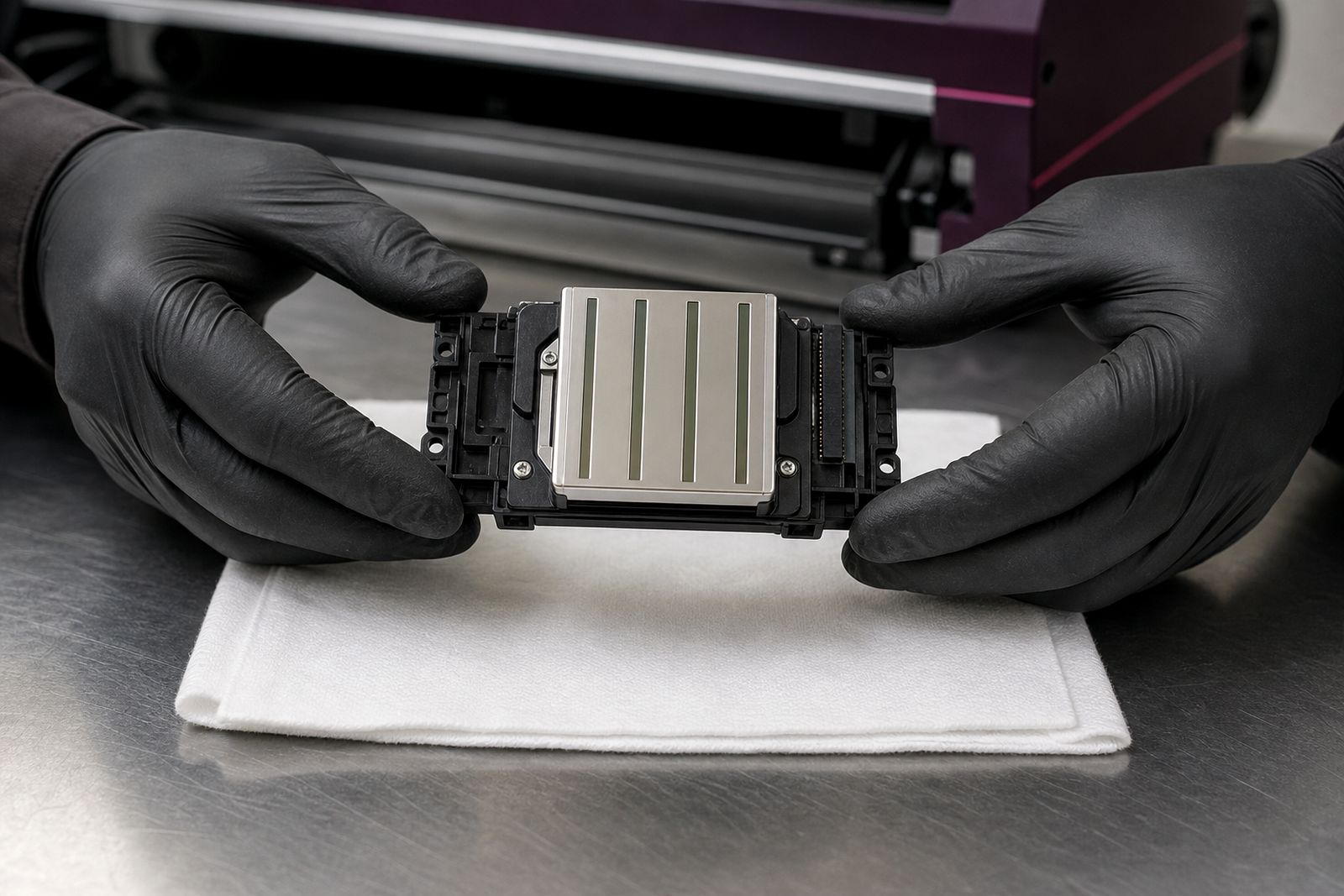
What our Wide-format Printing customers say
Verified Google reviews
Questions we get asked
Can I replace only one damper or should I change a full set?
One damper can be replaced where the failure is isolated, but matched sets are often the safer route on older machines. It keeps ink flow more even across the head bank and reduces chasing the next weak point a week later.
Do encoder strips need calibration after fitting?
They usually need correct mounting, cleaning and a carriage check rather than formal calibration. The printer should still be tested with movement checks, alignments and a print sample before normal production starts.
Are boards sold only with printer installation?
Boards can be supplied as spare parts, but they must be matched carefully to the machine and fault. A wrong board revision can create new problems, so detailed photos and model information matter.
Tell us about the job
Send sizes, materials and where you are through our contact form, and we will come back with the practical options.
Open the contact form